DNS translates names into network addresses, but “the site does not open” is not enough evidence to blame it. The useful test compares name resolution with basic connectivity.
Check the scope#
Try more than one website and another device on the same network. One failing domain suggests a destination issue; every device failing by name while the connection remains active makes DNS more plausible.
For this step, write down what you expected, what actually happened, and whether the result was repeatable. A single successful attempt can be useful, but it is not yet a stable conclusion. Repeat the smallest safe test before moving to the next layer.
Inspect the assigned configuration#
On Windows, review IP, gateway, and DNS information with ipconfig /all. An address beginning with 169.254 usually indicates that the computer did not receive normal DHCP configuration, which is broader than DNS.
For this step, write down what you expected, what actually happened, and whether the result was repeatable. A single successful attempt can be useful, but it is not yet a stable conclusion. Repeat the smallest safe test before moving to the next layer.
Compare a name and an address#
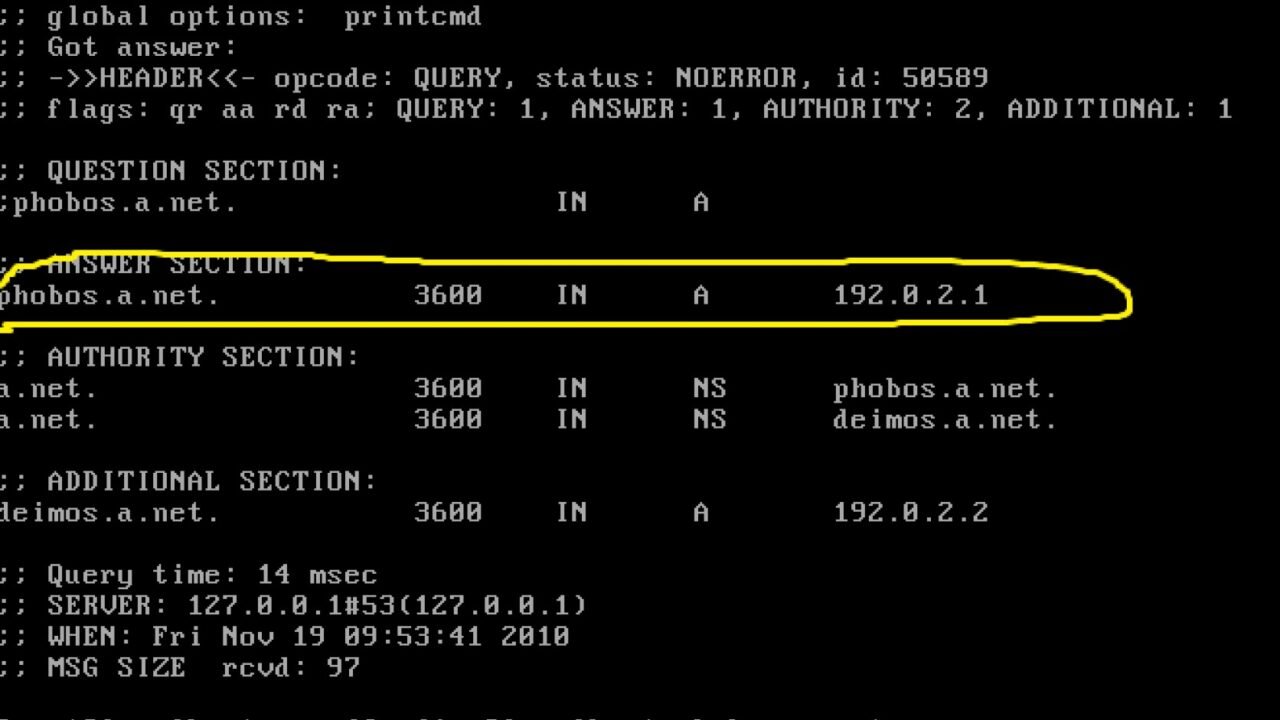
Use nslookup for a known domain and note the server, response, and error. A ping result alone is not decisive because many servers ignore it. Preserve the exact resolver error rather than describing it as “no internet.”
For this step, write down what you expected, what actually happened, and whether the result was repeatable. A single successful attempt can be useful, but it is not yet a stable conclusion. Repeat the smallest safe test before moving to the next layer.
Change one layer at a time#
Restart the affected application, then the device, before changing network-wide settings. Flush the local resolver cache only when stale local data is plausible. If you test another resolver, record the original automatic setting and restore it afterward.
For this step, write down what you expected, what actually happened, and whether the result was repeatable. A single successful attempt can be useful, but it is not yet a stable conclusion. Repeat the smallest safe test before moving to the next layer.
How to keep the test controlled#
A home network crosses several administrative boundaries: the device, local link, router, access equipment, provider, and destination. A result should identify the last layer known to work. Keep local tests separate from internet tests, note whether Ethernet and Wi-Fi agree, and avoid factory resets until settings and credentials are backed up. If equipment belongs to the provider, confirm which changes you are allowed to make.
Use a simple worksheet with five columns: time, starting condition, action, observable result, and rollback status. Attach screenshots only when they show the relevant setting or error. This record prevents circular troubleshooting and gives support a concise history of what has already been ruled out.
Decision checkpoint#
Keep a different resolver only if repeated tests show a specific benefit and you understand its privacy, filtering, and encrypted DNS policies.
What this guide does not prove#
Changing DNS rarely improves Wi-Fi signal, physical line quality, or sustained download capacity. A successful lookup also does not guarantee that the destination server is available.
Document the result#
Keep a short record with the date, device and software versions, original setting, change, result, and whether you restored it. Remove account names, addresses, serial numbers, public IP addresses, and other personal data before sharing screenshots with a forum or support team.
Related Portal Tech field guides#
- Slow Internet or Slow Wi-Fi? A Test That Isolates the Bottleneck
- IPv6 at Home: How to Test It Without Breaking IPv4
References#
Questions readers usually ask#
Should I change several settings to save time?#
No. Multiple simultaneous changes make the result difficult to interpret and can create a second problem. Preserve a baseline and retest after each meaningful change.
When should I contact support?#
Contact the responsible provider or manufacturer when the fault is reproducible, the documented safe steps are exhausted, the equipment reports a safety warning, or the required action exceeds your access or experience.
Featured image: Dns-server ondervragen.png — Public domain, via Wikimedia Commons. Cropped for this article. Source and licence details.