Disk encryption transforms stored data into information that depends on a key to be read. On modern notebooks and cell phones, it helps when the device is lost, stolen or the storage is removed and connected to another computer. Its effectiveness, however, depends on screen lock, device condition and well-prepared recovery.
Activating the function without knowing where the recovery key is can exchange one risk for another. Before changing settings, confirm copies, power, associated account and manufacturer’s procedure.
What Encryption at Rest Solves#
When the device is turned off and locked, encryption makes it difficult to read files directly without the correct credentials or keys. This is different from protection when sending over the internet, handled by HTTPS, VPN and other protocols.
On Windows, BitLocker and Device Encryption protect compatible drives. Microsoft’s BitLocker Overview explains that the removed drive does not provide readable content without the key. On Mac, FileVault ties volume protection to authorized credentials.
What It Doesn’t Protect#
If the user is logged in and the screen is unlocked, authorized applications can open files normally. Malware running in this session can act with the available permissions. Encryption also does not prevent deleting data, falling for phishing or voluntarily handing over a document.
Therefore, combine automatic blocking, strong password or PIN, updates and copies. Disk protection does not replace tested backup. If storage physically fails, encrypted data still requires a recoverable off-site copy.
Recovery Key Is Part Of The Project#
Systems may request a key when they detect a change in hardware, firmware or boot process. Store the key in a separate location on the device and confirm that you can access it from another device. In a corporate environment, the organization can manage the key.
Microsoft advises how to find your BitLocker recovery key and warns that it cannot recreate a lost key. Do not photograph the key and only leave it on the same notebook that it unlocks.
Check If Protection Is Already Active#
Many modern devices enable encryption when setting up an account. Before clicking new controls, check their current state. On Windows, look for Device Encryption or Manage BitLocker; on macOS, check out FileVault under Privacy & Security.
Record which drives are protected and who owns the recovery. External disks can have a separate configuration. If you use two operating systems or maintenance tools, confirm compatibility before encrypting a shared drive.
Prepare Activation Safely#
Make a full backup and test some files. Connect the device to power, install pending updates, and check the storage integrity. Save the key according to the official options and validate that the associated account is really yours.
Start the process at a time when the computer can remain stable. Duration varies depending on data volume and hardware. Do not force shutdown. Then reboot and confirm that normal boot and documented recovery work as expected.
FileVault and BitLocker Have Different Flows#
On Mac, Apple’s documentation describes boot credentials and recovery key for FileVault. Introduction to FileVault also explains integration with modern hardware. On Windows, availability and controls vary by device edition and requirements.
Use the documentation corresponding to the installed version. Old tutorials may show removed menus or suggest inappropriate methods. On company-managed equipment, do not change key custody yourself.
Before Changing BIOS, UEFI Or Hardware#
Updating firmware, messing with secure boot or changing components can cause the system to request recovery. Have the key available before maintenance. On a corporate notebook, confirm the procedure with support.
If the recovery screen appears, compare the displayed identifier with the key record. Do not enter secrets on pages found by advertising. Use another device to directly open the organization’s official account or channel.
Encryption and Selling the Device#
Encryption helps protect storage, but delivery still requires signing out of accounts and restoring the system via the official procedure. Don’t sell the computer just by deleting a few folders. Check if the reinstallation reached the initial configuration screen and if the device was removed from the account list.
For media destined for disposal, also follow the erasure and reverse logistics route. Organizations may require specific sanitization and proof; Active encryption does not replace the asset write-off policy.
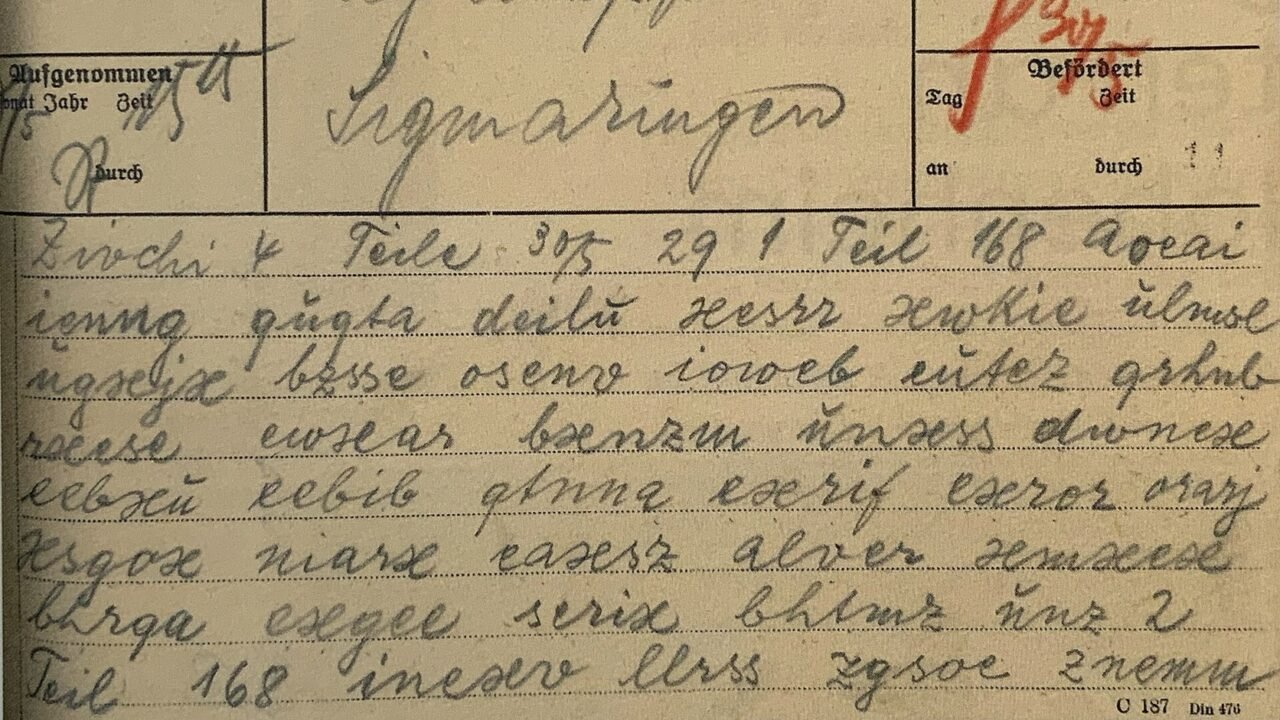
Curiosity: Ciphers Came Long Before Computers#
Encrypted messages have existed for centuries, with substitutions and codes made on paper. Electromechanical machines increased complexity, and computers made cryptography an everyday part of storage and communication.
The central idea remains: a transformation depends on a secret or key. The modern leap is in scale, peer-reviewed public algorithms, and the ability to secure billions of operations without requiring the user to perform manual calculations.
A current microprocessor executes these algorithms with support from the system and, in some cases, dedicated resources. The story of how the CPU fit on a chip gives context to this capability without reducing encryption to a matter of speed.
Conclusion#
Disk encryption reduces the risk of offline reading of a lost or removed device. It works best with a locked screen, updates, copies and recovery key available outside the device.
Check status before activating, document recovery, and prepare hardware changes. Security doesn’t end at the “encrypt” button; it includes the real possibility of the owner recovering the data itself.
Frequently Asked Questions#
Does Encryption Slow Down Your Computer?#
On modern hardware, the day-to-day impact is typically small, but varies by device, storage, and configuration. Consult the manufacturer’s requirements.
Can I Store the Key in the Cloud?#
Systems offer this option linked to the account. Keep the account secure and consider an additional secure copy, separate from the device.
I forgot my password, can support open it?#
Without a valid recovery key or credential, it may not be possible to recover the data. This is part of the protection offered by encryption.
Featured image: Photo: Landespolizeikriminalamt Berlin, 1929 — CC BY-SA 4.0, via Wikimedia Commons. Cropped for the featured image. Source and attribution.