Cell phones, computers, routers, cables, power supplies, batteries and small accessories should not automatically go into general waste. Some can still be reused; others need to enter reverse logistics systems for sorting, reuse and appropriate disposal. Before handing over a device, there is an equally important step: removing accounts and personal data.
The process must separate three decisions: does the equipment still work, is there information stored and which point accepts that category. Treating everything as one bag increases the risk of data loss, battery accidents and improper disposal.
Reusing Comes Before Recycling#
A functional device can be donated, sold, repaired or intended for reconditioning. This extends the useful life and preserves the value already invested in materials and manufacturing. Evaluate repair cost, availability of upgrades and energy consumption before deciding.
Don’t donate an unsafe product just to get rid of it. A swollen battery, cable with exposed conductor or overheating source requires careful handling and guidance from the collection point. Remove loose accessories and do not attempt to puncture or crush lithium cells.
Make Copies and Check the Restoration#
Transfer photos, documents, contacts and authentication files. Open a sample copy on another device and check if important dates and folders are complete. Synchronization is not a guarantee of backup: a deleted file can disappear on all connected devices.
Use the photo and document backup routine before deleting anything. If there is a password manager, recovery codes or passkeys, confirm access on another device. Don’t depend on the device that will be delivered to recover your own account later.
Log Out Of Accounts And Remove Links#
Disable location features and activation locks depending on the manufacturer. Log out of main accounts, remove the device from the list of trusted devices and remove payment cards. For watches, headphones and accessories, unpair and delete associated profiles.
Then, perform the factory reset through the official menu. The copies, accounts and restoration before selling a cell phone script also works for tablets. On computers, consult your system documentation to erase or reinstall the drive correctly.
Cards and Removable Drives Require Separate Decision#
Remove SIM card, microSD, pendrive and external hard drive. These items can store contacts, photographs or copies that the device restore does not touch. Decide whether they will be reused, deleted, or turned over as storage media.
In companies, follow the disposal policy and maintain chain of responsibility. Deleting files through Explorer does not guarantee adequate sanitization for all media types. When there is sensitive data, use the procedure defined by the organization or a specialized service with registration.
Find a Point That Accepts the Category#
Manufacturers, importers, distributors and traders participate in reverse logistics systems. The SINIR page explains the instrument and lists implemented systems. Consult the city hall, manufacturer or management entity to locate points and confirm which items are received.
Do not assume that a battery collector accepts a monitor or that a store accepts any brand. Call or check the list before transporting large objects. Separate cables and accessories according to local guidance and keep batteries protected from short circuits during movement.
Before discarding a font that appears slow, confirm that the problem is compatibility. The source, cable, and fast charging guide helps separate normal threshold from physical damage.
Brazil has a specific structure for electronics#
The National Solid Waste Policy establishes shared responsibility for the life cycle. Decree No. 10,240/2020 regulates the reverse logistics of electronic products for domestic use and includes, among the consumer’s responsibilities, the prior removal of private data when existing.
The Ministry of Communications describes the path of reuse, reconditioning and recycling. The rule of thumb is to deliver to the appropriate system, and not disassemble the equipment at home to separate potentially hazardous materials.
Batteries Require Additional Attention#
A swollen battery must not be pressed back into the device. Keep the item away from heat and flammable materials, avoid carrying it and quickly seek advice from the manufacturer or specialized point. Do not send loose batteries in packaging where terminals may touch metal.
Cells and batteries have their own collection flows. Keep them dry, without accessible leaks and out of the reach of children. If there is damage, inform the person responsible for receiving it rather than hiding the condition of the item.
Record What Was Delivered#
For devices of higher value or with older data, write down the model, serial number, date, location and type of destination. Photograph the external condition and keep proof when provided. When donating, record who received it and which accessories accompanied the product.
This control helps remove equipment from personal or business inventories. After delivery, check the accounts’ device list again and revoke sessions that still appear. Registration does not replace cleaning, but it closes the cycle.
Fun fact: A computer is also a set of materials#
Plates, cables, housings and screens combine metals, glass, plastics and components that require different processes. Industrial recycling seeks to recover part of these materials and treat waste with control. Informal disassembly can expose people and the environment to substances that are not visible from the outside.
Therefore, “throwing recyclables” is not enough. Reverse logistics connects receipt, transportation, sorting and destination, preserving traceability and scale for adequate treatment.
Conclusion#
Correct disposal begins with the decision between reusing and recycling. Make copies, remove accounts, restore the device, remove media and confirm the category accepted by the delivery point. Damaged batteries receive separate care.
Data and materials are part of the same process. When each step is recorded, the equipment leaves the home with less risk to privacy and a more responsible environmental route.
Frequently Asked Questions#
Is Restoring Your Cell Phone Enough?#
It’s a central step, but first you must confirm copies, log out of accounts, remove activation blocks and remove cards. Follow the manufacturer’s procedure.
Can I put cables in regular recyclable waste?#
Choose electronics outlets or programs that declare they accept cables. Municipal selective collection may have different rules.
Where to Find a Delivery Point?#
Consult the manufacturer, commerce, city hall and reverse logistics management entities. Confirm category, size and conditions before moving.
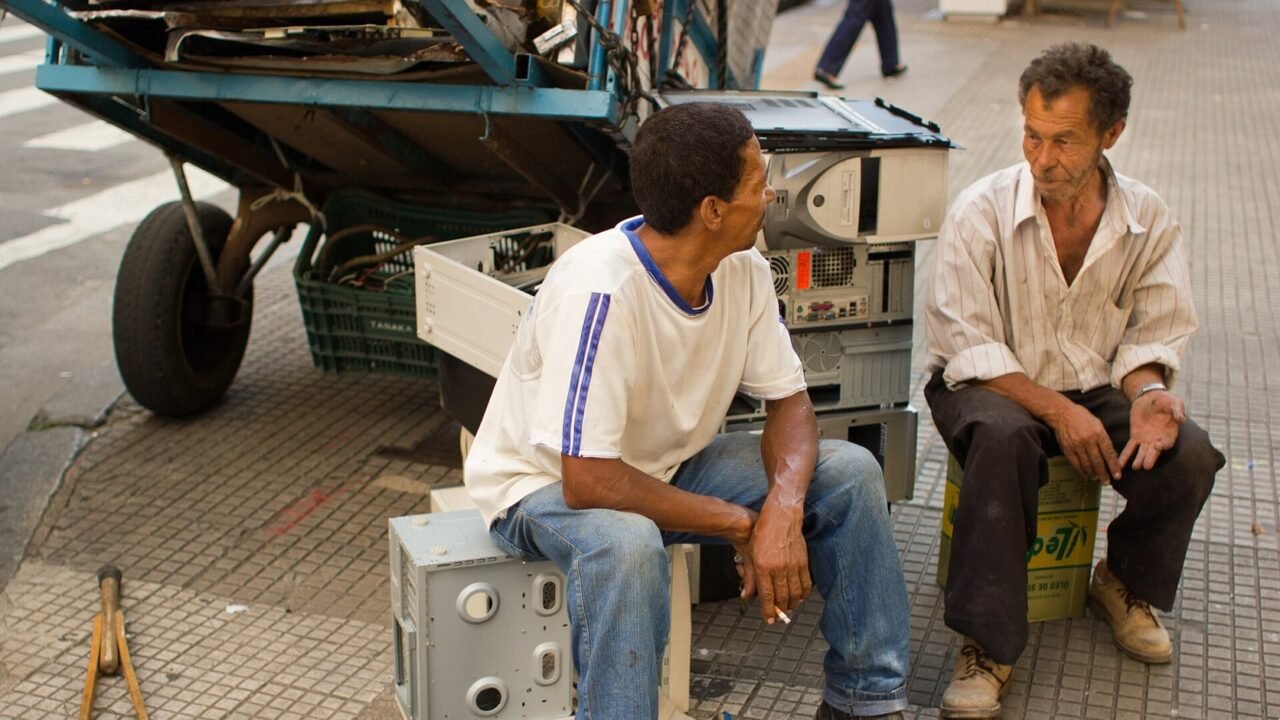
Featured image: Photo: Victorgrigas — CC BY-SA 3.0, via Wikimedia Commons. Cropped for the featured image. Source and attribution.