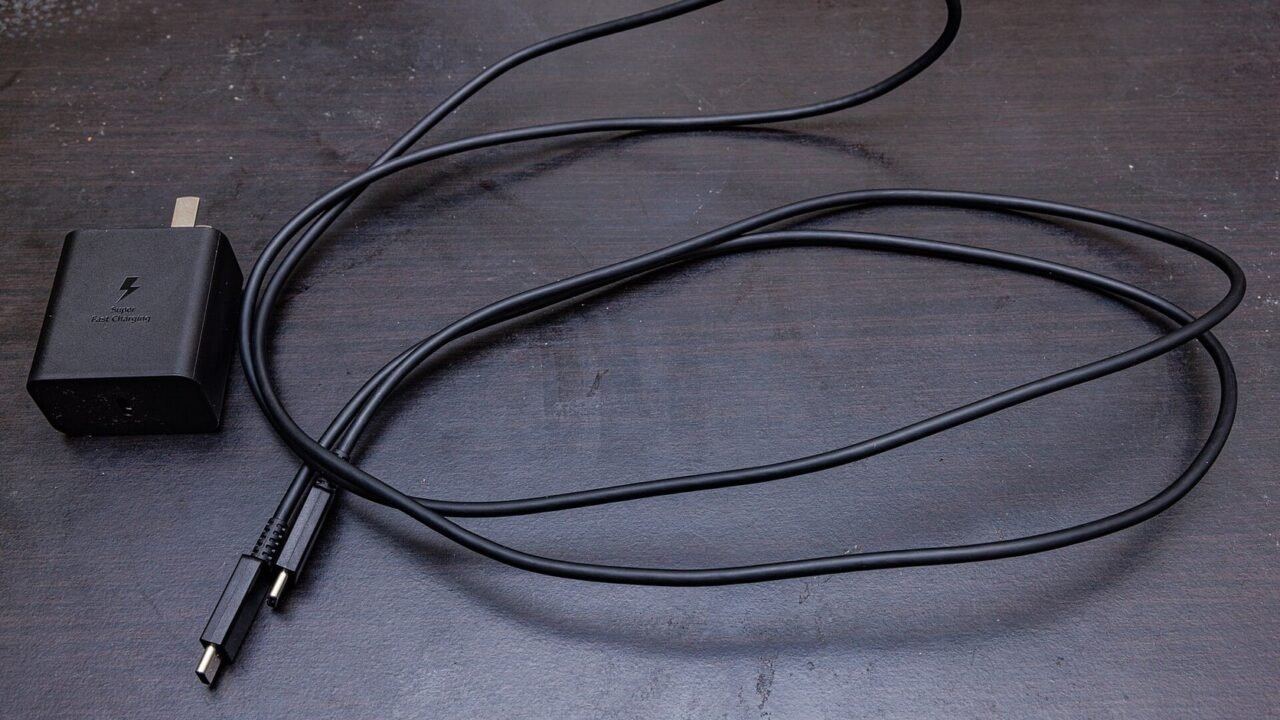
The number printed on a charger shows the maximum power it can deliver under certain conditions, not an amount that will be pushed into any device. The device, source, and cable negotiate a compatible mode. When one of the three limits operation, charging takes place at a lower power or returns to basic mode.
Understanding this combination prevents unnecessary purchases and helps investigate slowdowns, heating, and intermittent messages. It also prevents comparing chargers just by the largest number on the package.
Power is the result of voltage and current#
Watts represent power. In a simplified description, it results from the voltage in volts multiplied by the current in amps. A source may advertise multiple output pairs, such as 5V, 9V, or 15V, because different devices negotiate different profiles.
The device decides how much it accepts within the compatible protocols. A 65 W source can charge a cell phone that accepts less, as long as both follow a common mode and the product is reliable. It does not force 65 W continuously. On the other hand, a small power supply may power a notebook slowly or not sustain use while the battery charges.
Connector Does Not Reveal All Features#
USB-C describes the connector format and part of the ecosystem, but visually similar cables can carry different powers and data. Some are only for basic charging; others support higher currents, video or high-speed transfer. The article on why USB-C cables that look the same on the outside do different things details this separation.
Read the cable marking and manufacturer’s documentation. For higher powers, an electronically identified cable may be required to indicate its capacity. Adapters and extensions add another point of incompatibility and should only be used when the specification addresses them.
Protocols Need to Talk#
USB Power Delivery, PPS and proprietary solutions define how the source and device combine voltage and current. Having a USB-C port on both sides does not guarantee the fastest mode. The same goes for chargers with USB-A, which can use specific protocols.
Samsung’s fast charging page shows examples where power depends on the source profile and cable capacity. Use your model’s documentation as a reference, as trade names and limits vary between generations.
Sources With Multiple Ports Share Power#
A charger may advertise 100 W in total, but only deliver that amount to one port and when the others are empty. When connecting a second device, the distribution changes. Some models interrupt for a moment to renegotiate exits; This may cause the screen to light up or the charging sound to repeat.
Check the table printed on the product or in the manual. Look for combinations like “C1 65 W + C2 30 W”, not just the total value. Placing the notebook on the main door and accessories on the secondary doors usually better respects the designed distribution.
Temperature Changes Speed#
Batteries charge at different rates throughout the cycle. Near the end, the system reduces power to control temperature and wear. Heavy use, hot environment, thick cover and wireless charging can increase heat and cause temporary limitation.
Make comparisons with the screen turned off, at a similar temperature and starting from similar levels. Do not cover the source or place the device on surfaces that retain heat. The guide on how to reduce heat and battery wear explains why maximum speed is not maintained from start to finish.
How to Choose a Power Supply and Cable#
Start with the power and protocol indicated in the device manual. Choose a certified source, with an identifiable manufacturer, legible electrical information and documented protection. For a travel kit, add up the simultaneous needs and check how the ports divide energy.
On the cable, check connectors, length, supported current or power, and required data capabilities. A long cable may be convenient, but it needs to be properly constructed. Do not continue to use parts with loose connectors, cut insulation, darkening or concentrated heating.
Power supplies and cables that have reached the end of their useful life should not automatically go in the general trash. Separate damaged items and follow electronics erasure and proper disposal guidance to find the proper route.
A Roadmap for Diagnosing Slow Load#
Test a known outlet first and connect the source directly. Restart the device if the charging indicator is inconsistent. Clean the door only according to the manufacturer’s instructions and never insert a metal object. Inspect for moisture and dirt before reconnecting.
Then, replace one component at a time: cable, source and socket. Use compatible combinations and observe the message on the screen. Check if the system offers a fast charging option and if any battery protection limits are active. Samsung summarizes source, cable and device capacity as three conditions for available speed.
Curiosity: More Power Doesn’t Mean Less Time in the Same Proportion#
Doubling the number of watts in the source does not automatically cut the time in half. The device has its own limit, the power varies during the cycle and part of the energy is transformed into heat. A larger charger can save money for your notebook and cell phone together, but it doesn’t go beyond what each one negotiates.
Therefore, useful evaluations show load and temperature curve in addition to the peak. For everyday use, compatibility, stability and construction matter more than an instant of maximum power.
Conclusion#
Fast charging depends on a set: source, cable, device, protocol and temperature. Check the documentation, read the port distribution, and replace one component at a time when investigating failures.
A higher power source can be safe and versatile when it is compatible and well built. The correct choice comes from supported negotiation, not just from the largest printed number.
Frequently Asked Questions#
Can I Use a Notebook Charger on my Cell Phone?#
In general, yes, when both follow compatible standards and the products are reliable. The cell phone negotiates an accepted profile. Consult manufacturers for specific models.
Does Any USB-C Cable Fast Charge?#
No. Cables have current, power and resource limits. The same connector does not guarantee the same capacity.
Does Loading Slowly Indicate a Defect?#
Not always. High battery level, temperature, usage while charging, port splitting, and configured protection may slow down on purpose.
Featured image: Photo: Dinkun Chen — CC BY-SA 4.0, via Wikimedia Commons. Cropped for the featured image. Source and attribution.