Public networks solve a real need, but you do not control the router, the other connected devices or the page used to grant access. This does not mean that every open network is a trap. It means that the connection must be treated as a limited trust environment.
Care begins before the first click and ends after you disconnect. Confirming the network name, limiting sensitive operations and checking the device are more useful than trying to guess if someone with bad intentions is nearby.
Confirm Which Network Belongs To The Location#
Similar names can be confusing. A fake spot might copy part of the hotel or cafe name and add words like “free” or “visitor.” Ask an employee or check the official sign before connecting. Don’t just choose the network with the strongest signal.
The Ministry of Communications recommends confirming the name of the public Wi-Fi and deactivating the automatic connection. If the system saved old networks with generic names, such as “Free WiFi”, remove those that are no longer needed to avoid silent reconnections.
Understand the Access Page#
Hotels, airports, and restaurants often use a captive portal. After connecting, the browser opens a page to accept rules, enter a code or confirm the room number. This portal may appear before the internet is fully open.
Check the address, visual identity and the amount of data requested. An establishment may need an access code, but requests for an email password, card or installation of a profile deserve interruption and confirmation in person. Closing the page without completing does not make the network secure; You can only leave the device connected without access.
Prefer HTTPS and Updated Applications#
HTTPS secures communication between the browser and the supported website. Note the full address and don’t ignore certificate alerts. A public network is no reason to accept notices saying that the site’s identity could not be confirmed.
Updates fix flaws that can be exploited by content, applications, or network services. Make major updates before your trip, on a known connection, and keep your browser and system at supported versions. The Federal Police also recommends using secure connections and considering VPN when dealing with public Wi-Fi.
Reduce What the Device Shares#
On your computer, mark the connection as a public network when the system asks. This profile typically limits device discovery and file sharing. Disable unused shares and avoid searching for printers or computers on the local network.
On cell phones, proximity sending features should be restricted to contacts or turned off during the trip. The same goes for services that advertise the device on the network. These settings do not impede navigation; they just reduce unnecessary doors and invites in an unfamiliar environment.
Separate Ordinary Navigation From Sensitive Operations#
Reading the news or checking a map has a different impact than resetting your main email password. For banking, payments, personal documents, and account recovery, choose mobile data or a network you manage. If the task cannot wait, check the network, use the official app and log out when finished.
A reliable and correctly configured VPN adds a layer between your device and the VPN provider’s server. It does not validate the honesty of the site and does not make it safe to enter data on a fake page. Two-step authentication remains important if a password is discovered.
Avoid Automatic Connections and Forgotten Networks#
Disable the option to automatically connect to open networks. When finished, use “forget this network” if you do not intend to return to the location. This removes the profile and reduces the chance of the device attempting the same identification in another environment.
Bluetooth is not Wi-Fi, but it can also remain discoverable without need. Turning it off is optional when no accessories are in use. The goal is to reduce active services, without turning the trip into a sequence of changes that you won’t be able to reverse later.
Make a Checklist Before, During and After#
Before: update the device, activate screen lock, check two-step authentication and prepare mobile data. During: Confirm the network, watch for alerts, avoid sensitive tasks, and maintain only necessary services. After: disconnect, forget about the network and check important activities if something seems strange.
If you entered credentials on a suspicious page, change your password on a trusted network, end other sessions, and review recovery methods. For unexpected messages received later, apply the how to recognize phishing script, without automatically attributing every problem to the Wi-Fi used.
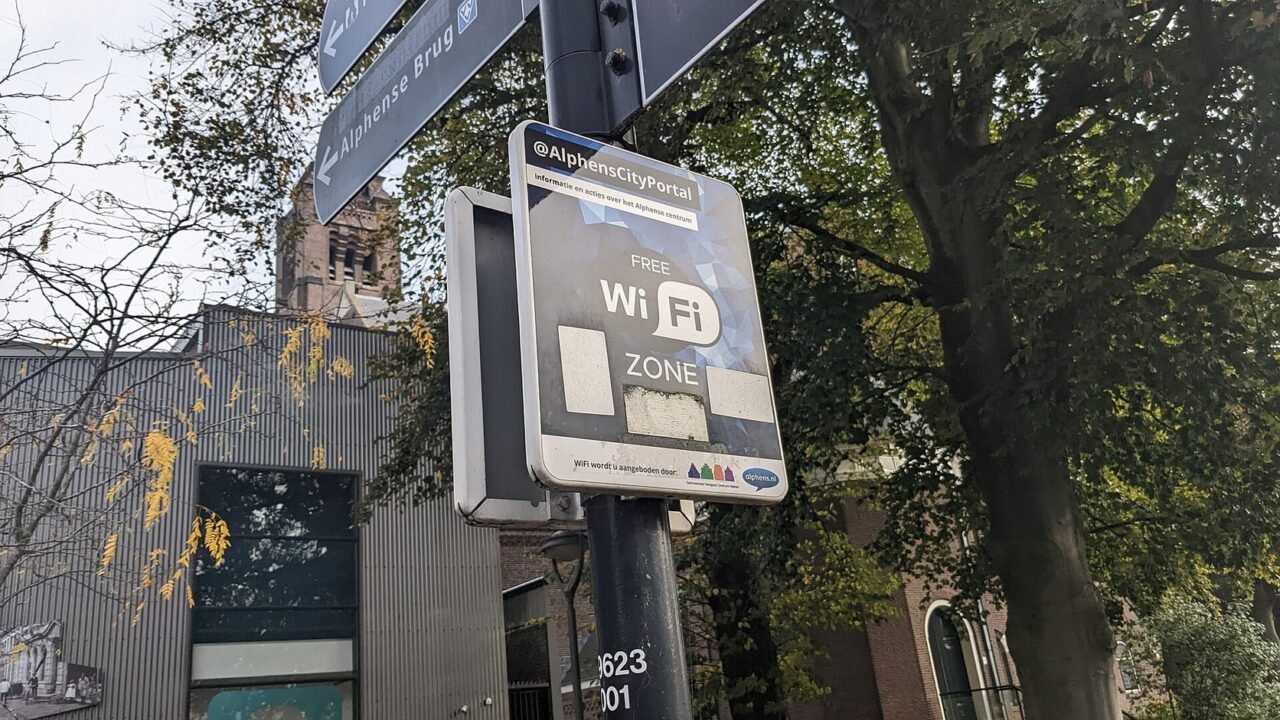
A Curiosity About the Wi-Fi Symbol#
The arched design has become a universal indication of connectivity, although it does not show the quality or security of the network. Solid bars only indicate that the received signal appears strong. They do not confirm speed, capacity, internet access or legitimacy of the point.
This difference explains why a device can show maximum Wi-Fi and still not load pages: the radio path to the router is fine, but the exit from the site may be congested or the captive portal has not yet been completed.
Conclusion#
Public Wi-Fi can be used with caution. Confirm name, reject strange requests, maintain HTTPS and updates, limit shares, and reserve sensitive operations for a trusted connection. When you finish, disconnect and remove the saved network when appropriate.
The objective is not to create fear of every open network. It’s recognizing that convenience and trust are different things and adjusting the activity to the environment.
Frequently Asked Questions#
Is a Network With a Password Always Secure?#
No. A password shared by everyone controls basic access, but does not guarantee good administration or legitimacy. Confirm the network and maintain other precautions.
Is the Website Lock Enough?#
HTTPS secures the connection to that address. You still need to check if the domain belongs to the desired service and avoid fake pages.
Should I Forget About the Network Afterwards?#
It is recommended when you do not need future reconnection, especially on open or generically named networks. This also removes saved settings from the portal.
Featured image: Photo: Donald Trung Quoc Don — CC BY-SA 4.0, via Wikimedia Commons. Cropped for the featured image. Source and attribution.