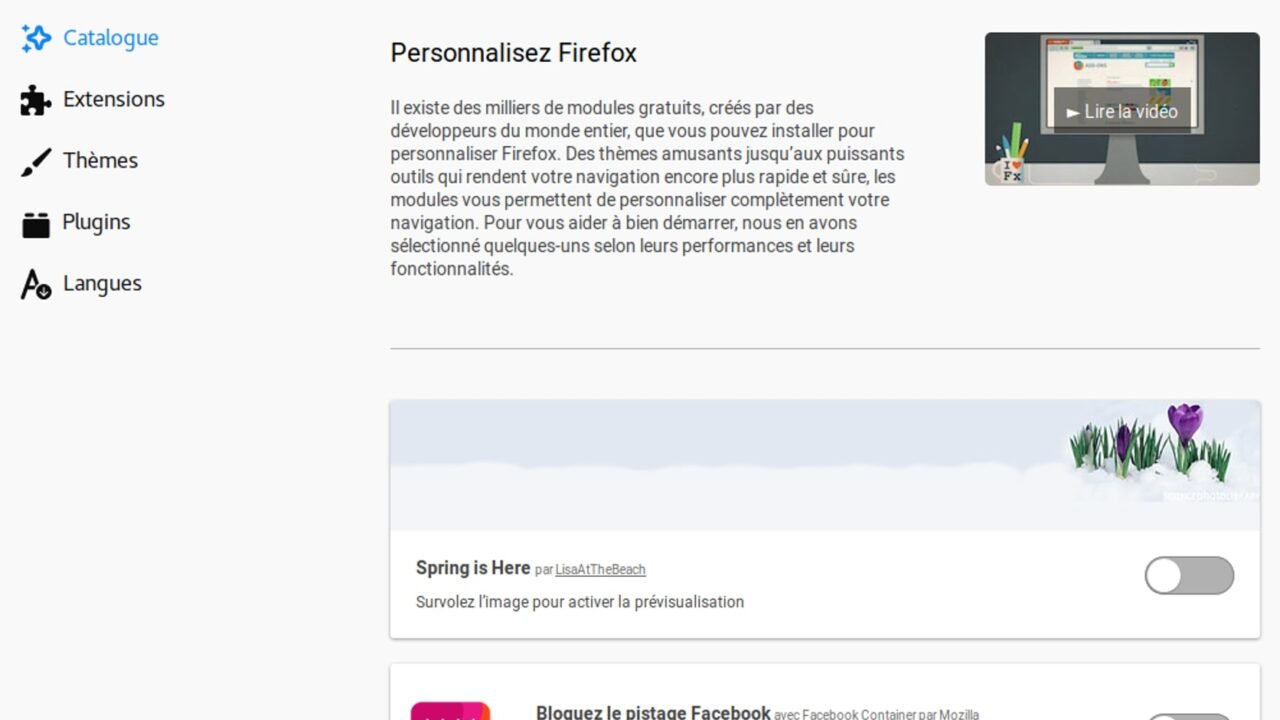
Extensions change the browser to block content, fill passwords, translate pages, capture screens or integrate services. To accomplish these tasks, some need to read the open address, modify page elements or access copied data. The utility may be legitimate, but the position is privileged: an extension accompanies much of what we do on the web.
The review must consider need, origin, permissions and maintenance. It’s not enough to remember why it was installed years ago. Behavior may change due to updates, sale of the project or expansion of functions.
Start with the Complete List#
Open the browser extension manager and scroll through all the items, including the disabled ones. Write down what you use, what you recognize, and what you don’t remember installing. On corporate computers, some components appear as administered; do not attempt to remove them without speaking to support.
In Chrome and similar browsers, the extensions area shows details, site access, and origin. In Firefox, use the add-ons section. Take a screenshot before changes if you need to document the state, applying the precautions in the guide on screenshots without exposing data.
Relate Permission With Function#
A password manager needs to interact with login fields; a text corrector may need to read what is typed; An extension that only changes the color of a website may not need to access every page. The analysis is not “any permission is dangerous”, but rather “is this permission necessary for the role I chose?”.
Google explains how to limit extensions’ access to websites, with options such as run on click, on specific websites or on all. Restricting may require an extra click and may also break resources; test after changing.
Official Origin Still Requires Conference#
Installing from the browser store reduces some risks, but does not eliminate evaluation. Check the developer’s name, official website, privacy policy, update history and number of permissions. Copies with a similar name or icon may try to pass themselves off as a well-known product.
Do not use the first button found on an ad or download page. Access the store through the browser menu or through the project’s official website. In case of an extension linked to an installed application, confirm that both belong to the same supplier.
Updates May Change Access#
A new version may ask for additional permissions. Read the warning before accepting and look for the justification in the version history. If the change is not fit for purpose, keep the extension disabled while you investigate or look for an alternative.
Projects can also change owners. A small extension with many users has commercial value, and data policy may change after acquisition. Reviewing periodically reduces the time a change goes unnoticed.
Fewer Extensions Make Diagnosis Easier#
Each add-on adds code, buttons, updates, and the possibility of conflict. When pages slow down, ads reappear, or the browser changes behavior, disable extensions in groups and test. Then reactivate one at a time until you identify the relationship.
Don’t confuse this test with randomly deleting cache and cookies. The cache, cookies and history guide shows what each clear resolves. Extensions work on another layer and can recreate the problem once they are loaded again.
Beware of Incognito Mode#
Browsers typically do not release all extensions in private windows by default. Enabling an extension in this mode expands the contexts it can observe. Activate only when the function is truly needed and the product policy supports what you intend to do.
Incognito mode does not make activity invisible to websites, network, or accounts. Adding an extension does not change this limitation. In some cases, the add-on itself records activity or syncs data with an account.
How to Remove and Clean Up Links#
Before removing an extension that stores data, export only what is needed by an official function and protect the file. Then, delete the add-on through the manager and restart the browser. Check if shortcuts, search engines, home page and proxy are back as expected.
If the extension had an external account, sign in to the service and revoke sessions, integrations, and subscription. Removing the browser code does not automatically erase data stored by the provider. Also look for auxiliary applications installed on the system.
Set up a Quarterly Review#
Create a simple reminder every three months. For each item, answer: I used it recently, I recognize the developer, the permissions remain proportional, has there been an update and is there a native alternative in the browser? Remove what has lost its purpose.
Native capture, translation, PDF reading and tab management tools have evolved. An extension installed to fill an old gap may no longer be necessary. Fewer components make the profile easier to maintain and migrate.
Also be wary of pages that use false verification to install an add-on. The history and limits of CAPTCHA includes signs of a fraudulent challenge.
Fun Fact: Add-ons Helped Shape the Modern Browser#
For years, extensions functioned as a resource laboratory. Popular ideas started appearing directly in browsers, while add-on platforms created more explicit permission models. This evolution tries to balance customization and control.
The balance remains dynamic. A stricter API can reduce risk and also limit certain functions. Therefore, versions and compatibility need to be considered along with security.
Conclusion#
Extensions deserve the same discipline applied to apps: origin, purpose, permissions, updating, and complete removal. Start with inventory, limit access when possible, and test changes without changing multiple things at once.
Keeping only what is necessary reduces conflicts and exposed data. The best extension is the one whose function you understand, whose origin you can verify and whose access remains proportional to the benefit.
Frequently Asked Questions#
Does a Disabled Extension Still Need to Be Removed?#
If you have no intention of using it again, removing it simplifies the profile. First, confirm whether there is local data that needs to be exported.
Do Many Reviews Guarantee Security?#
No. Reviews help you notice problems, but they may be out of date or not analyzing privacy. Combine reputation with origin, permissions, and maintenance.
Can I Give Access Only When I Click?#
Some browsers and extensions allow this. The function may be less automatic, so test sites where you actually use the add-on.
Featured image: Photo: Zsxolb — CC BY-SA 4.0, via Wikimedia Commons. Cropped for the featured image. Source and attribution.