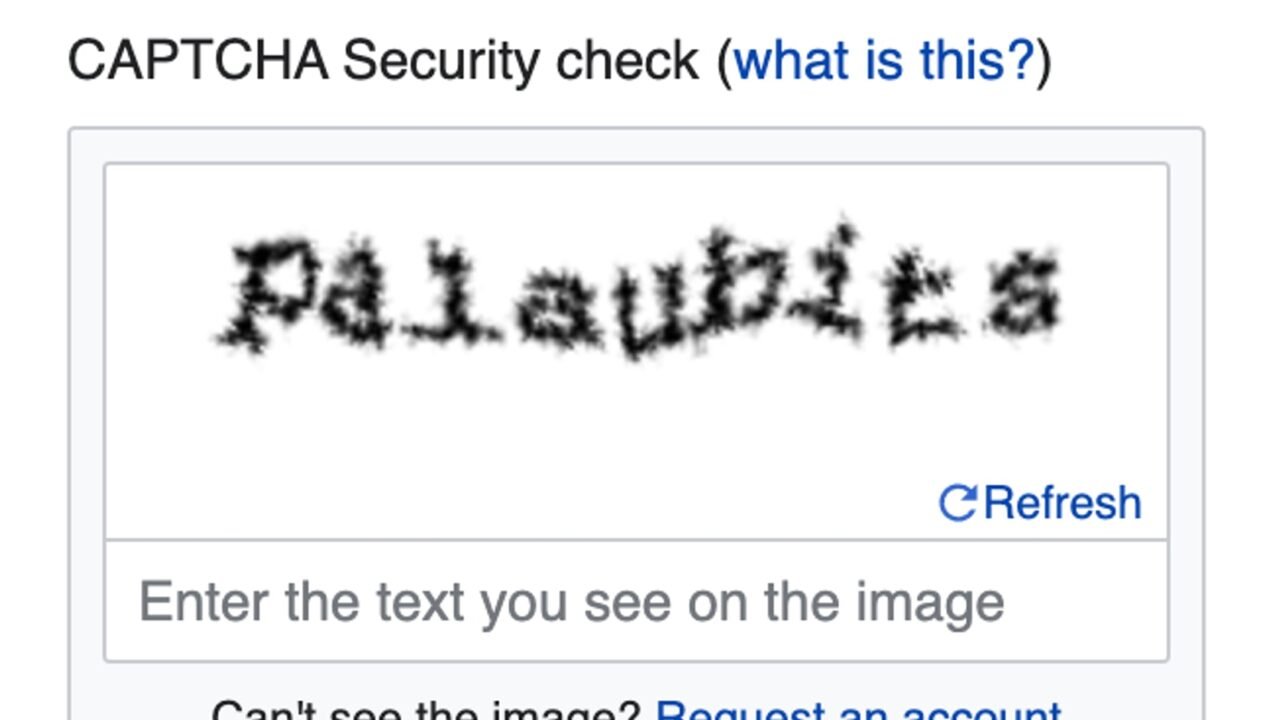
Crooked letters, traffic light grids and boxes with the phrase “I’m not a robot” appear when a website wants to reduce automated actions. CAPTCHA is a family of challenges created to distinguish people from programs in tasks such as registration, commenting, purchasing tickets and account recovery.
Technology has changed because robots have improved and because the challenges themselves have created accessibility barriers. Today, many systems evaluate risk signals in the background and present a test only when confidence is insufficient.
The Name Describes an Automated Test#
CAPTCHA is an acronym in English for a public and automated Turing test capable of differentiating computers and humans. The reference to the Turing test is inverted: instead of checking whether a machine looks human in a conversation, the site tries to decide whether the visitor is a person.
Cloudflare explains the meaning and types of CAPTCHA. The system that applies the challenge is also automatic; he chooses a task that he expects to be easy for people and difficult for programs.
The First Challenges Used Distorted Text#
Forms started to show words or sequences with noise, lines and deformations. The person read the characters and typed them. Recognition programs at the time had difficulty separating letters from the background and dealing with unpredictable fonts.
The method had problems. Distortion enough to confuse software also confused people, especially those with low vision, dyslexia, or small screens. Alternative audio sought to help, but could be difficult to understand in a noisy environment or by speakers of other languages.
Images Replaced Part of the Words#
Later challenges asked you to select signs, vehicles, banners and other objects. Recognizing visual context was a complex task for programs, while people accumulate everyday experience. The grid, however, created new doubts: does a small piece of the traffic light in the neighboring square count? Does a partially hidden bike make the cut?
Computer vision models have advanced, and human resolution farms have also appeared. This made the dispute ongoing. A fixed challenge loses value when attackers learn to solve it at scale.
The Box Is Not the Whole Test#
On some systems, clicking the box is just one part. The service considers navigation signals, interaction history and request risk. If the assessment appears normal, the user passes with little friction; if there is doubt, an additional challenge arises.
This reduces disruptions but raises privacy and transparency concerns. Sites must choose proportional mechanisms and inform data processing in the applicable policy. The user, in turn, should be suspicious if a supposed CAPTCHA asks for a file download, command execution or protection deactivation.
CAPTCHA Does Not Replace Form Security#
The challenge reduces certain automated abuse, but does not fix a weak password, authorization failure, or vulnerable form. Attackers can distribute tasks, reuse sessions, or exploit routes that do not enforce control. Retry limits, server-side validation, and monitoring remain necessary.
For comments, the site may also use moderation, filters and progressive delay. The experience needs to consider legitimate readers. A challenge that is too difficult keeps people away without stopping more sophisticated robots.
Accessibility Is Part of the Assessment#
A visual-only test excludes those who cannot interpret images. Alternative audio, keyboard, and screen reader support should work without requiring a longer or more invasive sequence. Short time may harm people with reduced mobility or need to read more.
When administering a website, test the flow with keyboard and assistive technologies. Error messages should explain what to do without erasing the rest of the form. If a provider does not offer a suitable alternative, look for another mechanism or reduce reliance on the challenge.
How to Recognize a Fake CAPTCHA#
Scams imitate the appearance of known scans and instruct you to copy commands, allow notifications or install extensions. A legitimate CAPTCHA can request an interaction within the page; it doesn’t need you to open the system terminal and paste an unknown string.
Check the address and close the page if the instruction goes out of context. Don’t grant notification permission just to prove you’re human. The how to check the destination of QR Codes script applies the same principle: validate the origin before following the suggested action.
If the page offers an add-on as a requirement, stop the flow and review the guidance on browser extension permissions and origin. Humanity check does not require extending permanent access to the browser.
CAPTCHAs Also Produced Useful Data#
Some generations presented digitized words from books that OCR systems had difficulty recognizing. Aggregated responses helped confirm transcripts. The challenge fulfilled two functions: blocking automation and collaborating with digitalization.
This story brings CAPTCHA closer to the topic of OCR on scanned documents. In both cases, the computer tries to transform pixels into information. The difference is that CAPTCHA deliberately chooses difficult examples as a barrier.
The Future Tends to Be Less Visible#
Modern systems combine reputation, browser integrity, request patterns, and tokens that attest to a check. The goal is to reduce repetitive grids for people and increase the cost of abusive automation. No signal is perfect, and automatic decisions can generate false positives.
Therefore, websites need a recovery route and support. Silently blocking a legitimate user can be worse than presenting a clear challenge. Security and usability are part of the same decision.
For the browser, the challenge arrives as part of the same set of requests for a page. The DNS, HTTPS, and web rendering guide shows the technical path to the screen.
Conclusion#
CAPTCHAs have evolved from garbled text to images, boxes, and risk assessments. They help reduce automated abuse, but they have limits, privacy costs, and accessibility challenges.
For users, the rule is to be wary of checks that ask for commands or installations. For websites, the best control is proportionate, accessible, and combined with validation, limits, and moderation.
Frequently Asked Questions#
Why Does CAPTCHA Appear Multiple Times?#
The system may consider the request unusual, be unable to save the token, or face cookie and script blocking. Shared network and extensions can also influence.
Does Resolving Images Train Artificial Intelligence?#
Some historical systems have leveraged responses for scanning and classification. This does not mean that every current challenge has the same purpose.
Can I Trust Any “I’m Not A Robot” Box?#
No. The appearance can be copied. Check the domain and reject instructions to install files, allow notifications, or run commands.
Featured image: Photo: Mover of molehills — CC BY-SA 4.0, via Wikimedia Commons. Cropped for the featured image. Source and attribution.