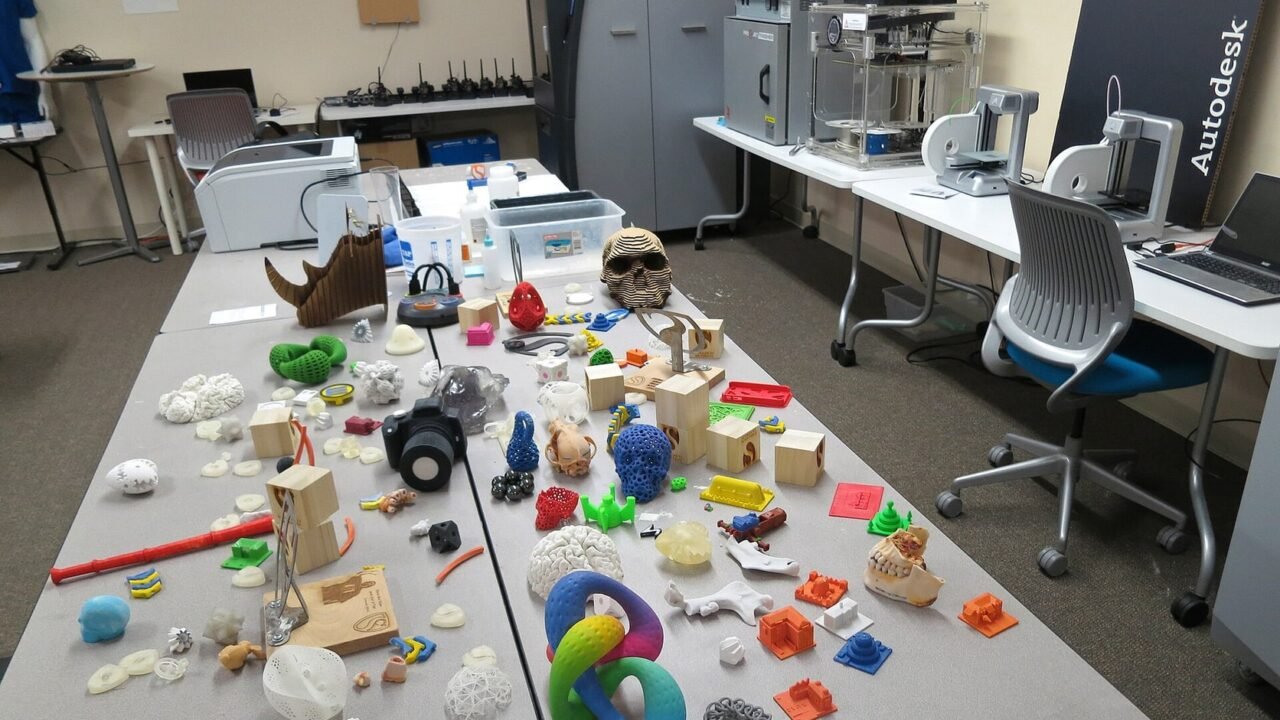
A 3D printer doesn’t just take an image and produce any object. The process begins with a three-dimensional model, goes through preparation, slicing and material selection, and only then becomes instructions for the machine. After printing, supports may still be removed, cleaned and finished.
Understanding this flow explains why two visually similar files have different results and why orientation, temperature, and layer thickness change time and resistance.
The Model Needs to Represent a Volume#
The object is born in modeling, scanning or model library software. To be printable, geometry needs to form a coherent volume, with no open surfaces or problematic intersections. Measurements matter: a unit error can turn millimeters into centimeters.
Formats like STL describe the surface by triangles. Other formats carry more information, such as units, colors or materials. Autodesk’s documentation on preparing 3D models shows converting to mesh and sending to a print service.
Slicer Converts Shape Into Paths#
The slicer divides the model into layers and generates motion, extrusion, temperature, and speed instructions. Here you choose layer height, padding, walls, supports and adhesion to the table. A profile suited to the material and printer is a safer starting point than copying isolated numbers from another machine.
View the preview layer by layer. Look for parts that start in the air, walls that are too thin, and strange movements. This inspection finds errors before spending hours and materials.
Orientation Changes Finishing and Resistance#
Placing the piece flat can reduce height and time, but increase the contact area. Rotating it can shorten supports or improve details on a face. In filament deposition processes, the bond between layers may be weaker in certain directions.
Think about how the force will be applied in actual use. A hook, for example, may break along the lines if oriented without considering the load. For functional part, test prototype and decorative object, the priorities are different.
Supports Are Temporary Structures#
Tilted or protruding parts may require support during manufacturing. The slicer creates removable structures, but they consume material and leave marks. Changing orientation or splitting the model can reduce the need.
Too much support increases work; Less support may cause deformation. Adjust distance, density and interface depending on material and machine. Always check whether removal is possible without damaging closed details.
Material Defines More Than Color#
PLA is common in filament printers because it is relatively easy to use. PETG, ABS, nylon and flexible materials have different temperature, ventilation, humidity and surface needs. Resins require specific handling, washing and curing, as well as adequate protection.
Use technical data sheets and safety guidelines. Ventilate the environment according to the process and do not treat a printer like a toy without supervision. Hot and moving parts can cause accidents. Objects for contact with food, heat, children or structural load need evaluation beyond “the print looks good”.
Calibration Creates a Repeatable Base#
Level table, consistent first layer, correct extrusion and dry material affect the result. Do small tests before a long piece. Change one variable at a time and record profile, batch of material and observations.
Failures in the first layer require investigation of cleanliness, distance and temperature. Wires between parts can involve temperature and shrinkage. Raised corners can relate to adhesion and cooling. Diagnosis by symptoms is better than increasing all values together.
Sensors, motors and the control board coordinate these movements with onboard processing. The overview of transistors and microprocessors helps to understand how this control fits into a bench machine.
Additive Printing Is Also Used In Industry#
3D printing is a family of processes, not just home filament machines. There are techniques with resin, powder and metals, each with its own stages. Autodesk defines additive manufacturing as adding material in layers and presents applications in prototypes, tools and complex parts.
In industry, the advantage may be in geometry, customization or reduction of steps, not in producing anything cheaper. For large quantities of a simple part, traditional processes may still be better.
Take Care of the File Origin and License#
A template available for download has an author and license. Check if the license allows you to print, modify, sell the piece or redistribute the file. Giving credit does not replace commercial restrictions when they exist.
Save the source, version, and license page with the project. The logic is similar to the choice of free and open source software: access to the file does not mean the absence of conditions. Avoid models that reproduce brands, characters or protected objects without authorization.
Curiosity: The piece is continuous to the eye, but discreet to the machine#
The slicer approximates curves by segments and divides the height into layers. The smaller the layer, the smoother the surface may appear, but time and instruction file increase. The nozzle, the material and the mechanics impose another limit.
Therefore, announced resolution is not synonymous with final precision. Clearances, material retraction and calibration influence measurements. Parts that fit together need tolerances tested on the machine used.
Conclusion#
The 3D printing path brings together modeling, repair, slicing, material, calibration and finishing. Previewing the layers and a small test avoids much of the waste.
Start with known profiles, document changes, and respect security and licensing. The value of technology appears when the process is understood, not just when the machine moves.
Frequently Asked Questions#
Can a Photo Become a 3D Piece?#
An isolated photograph does not contain the entire volume. Modeling, multi-image photogrammetry, or another form of three-dimensional reconstruction is required.
Does More Filling Always Make a Piece Stronger?#
Not necessarily. Walls, orientation, material and load direction can influence the most. Test the configuration for actual use.
Is Every STL File Ready to Print?#
No. It may have the wrong scale, open geometry, fine details, or improper orientation. Proofread and slice before production.
Featured image: Photo: Steve Jurvetson — CC BY 2.0, via Wikimedia Commons. Cropped for the featured image. Source and attribution.