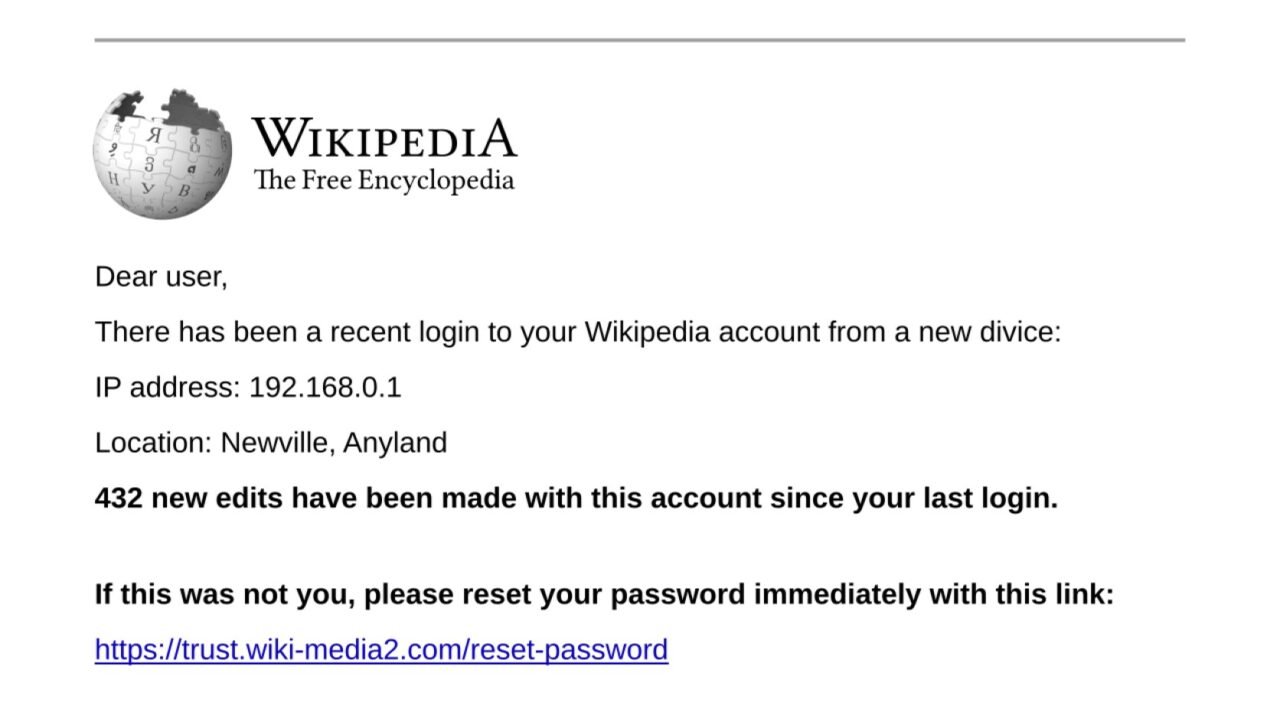
Urgency is designed to shorten your decision process. The safest first move is to leave the message intact and verify the claimed event outside it.
Separate the claim from the message#
Write down what the sender wants: sign in, pay, open a file, call a number, or share information. Open the organization’s known app or type its official address yourself to check whether the same alert exists.
For this step, write down what you expected, what actually happened, and whether the result was repeatable. A single successful attempt can be useful, but it is not yet a stable conclusion. Repeat the smallest safe test before moving to the next layer.
Inspect identity carefully#
Display the full sender address and reply-to field. A familiar display name is not proof. For links, view the actual destination without visiting it and compare the registrable domain, spelling, and expected country or organization.
For this step, write down what you expected, what actually happened, and whether the result was repeatable. A single successful attempt can be useful, but it is not yet a stable conclusion. Repeat the smallest safe test before moving to the next layer.
Treat attachments as untrusted input#
Do not enable macros, install viewers, or bypass warnings. Unexpected shared documents can redirect to credential pages. Confirm with the sender through a saved contact or another established channel.
For this step, write down what you expected, what actually happened, and whether the result was repeatable. A single successful attempt can be useful, but it is not yet a stable conclusion. Repeat the smallest safe test before moving to the next layer.
Report and respond proportionally#
Use the mail provider’s phishing report function and the organization’s official abuse channel. If you entered credentials, change the password from a trusted device, end other sessions, review recovery details, and enable MFA.
For this step, write down what you expected, what actually happened, and whether the result was repeatable. A single successful attempt can be useful, but it is not yet a stable conclusion. Repeat the smallest safe test before moving to the next layer.
How to keep the test controlled#
Perform verification from a known path rather than from the message, pop-up, or account alert being investigated. Do not paste secrets into diagnostic tools or upload private evidence to public scanners. Preserve recovery codes and trusted contact methods offline. If work or school data is involved, use the organization’s incident channel because personal remediation can erase evidence or conflict with policy.
Use a simple worksheet with five columns: time, starting condition, action, observable result, and rollback status. Attach screenshots only when they show the relevant setting or error. This record prevents circular troubleshooting and gives support a concise history of what has already been ruled out.
Decision checkpoint#
Delete only after reporting or preserving what your organization needs. In a workplace, follow the security team’s procedure because headers and timestamps may help investigation.
What this guide does not prove#
Good spelling, HTTPS, a known logo, or a familiar conversation thread cannot prove legitimacy. Compromised real accounts can send convincing messages.
Document the result#
Keep a short record with the date, device and software versions, original setting, change, result, and whether you restored it. Remove account names, addresses, serial numbers, public IP addresses, and other personal data before sharing screenshots with a forum or support team.
Related Portal Tech field guides#
References#
Questions readers usually ask#
Should I change several settings to save time?#
No. Multiple simultaneous changes make the result difficult to interpret and can create a second problem. Preserve a baseline and retest after each meaningful change.
When should I contact support?#
Contact the responsible provider or manufacturer when the fault is reproducible, the documented safe steps are exhausted, the equipment reports a safety warning, or the required action exceeds your access or experience.
Featured image: Example phishing email.svg — CC BY-SA 4.0, via Wikimedia Commons. Cropped for this article. Source and licence details.